


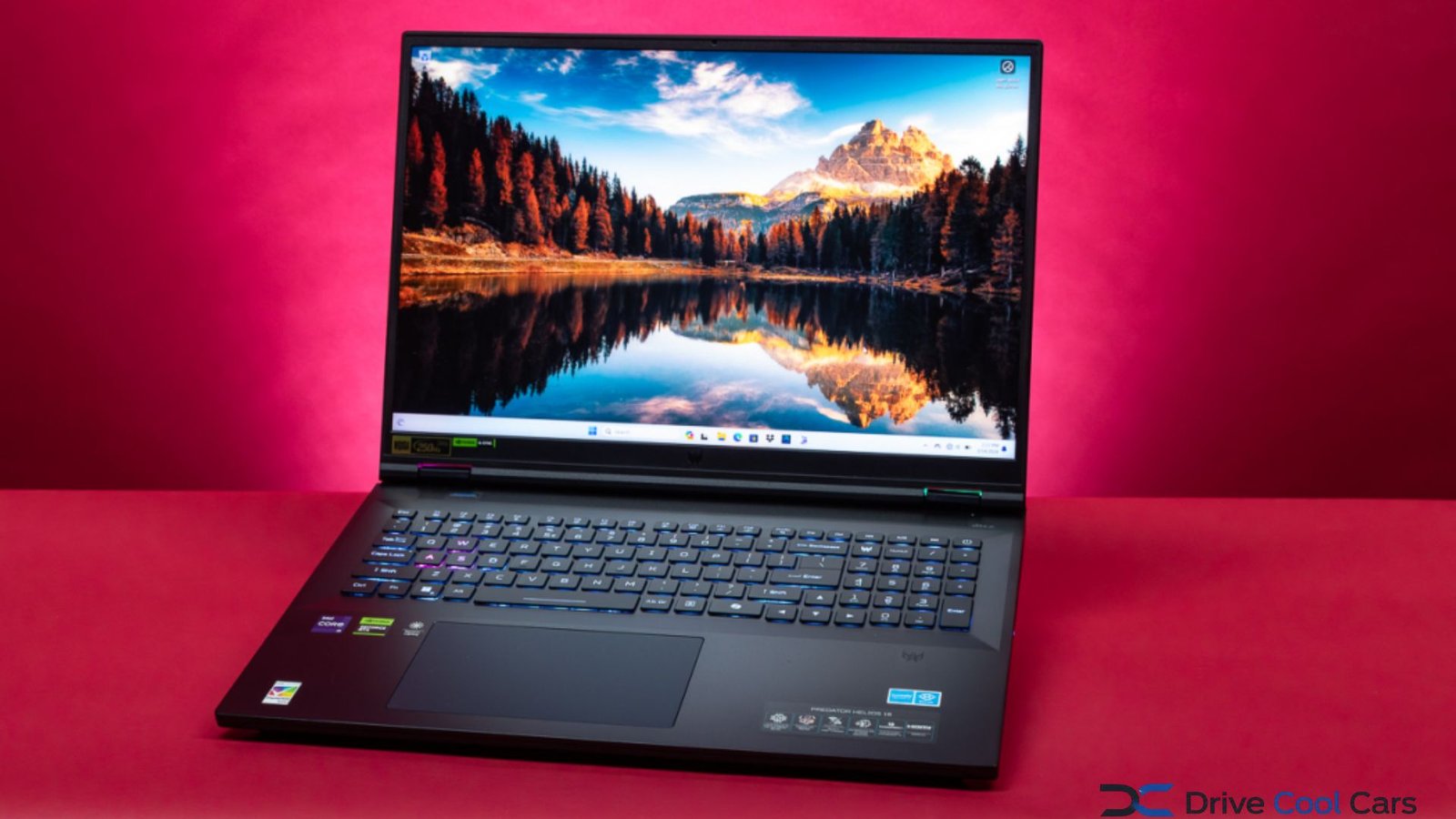
The Acer Predator Helios 18 is a large-format gaming laptop built for people who want desktop-class performance without giving up portability altogether. Its biggest advantage is the combination of an 18-inch display, high-performance Intel processors, NVIDIA GeForce graphics, fast DDR5 memory, and advanced cooling.
There are several generations and configurations, so specifications vary significantly. Current Helios 18 AI models can reach an Intel Core Ultra 9 275HX or 290HX Plus processor and NVIDIA GeForce RTX 5090 Laptop GPU, while earlier Helios 18 versions used processors such as the Core i9-14900HX and GPUs up to the RTX 4090.
What Makes Acer Predator Helios 18 Different?
The defining feature is its 18-inch 16:10 display. That extra screen area is useful for gaming, video editing, multitasking, and creative applications where a conventional 15- or 16-inch laptop can feel cramped.
Acer offers different panels depending on the configuration. One current Helios 18 AI configuration combines a 2560 × 1600 resolution with a 250Hz refresh rate, while higher-end versions can offer a 3840 × 2400 Mini LED display at 120Hz, 100% DCI-P3 coverage, and Delta E below 2.
For competitive gaming, the 250Hz panel is particularly attractive because the high refresh rate can make fast movement appear smoother. For creators and users who prioritize resolution and color quality, the 4K Mini LED option is more compelling.
Key Specifications at a Glance
Because Acer sells multiple configurations, checking the exact model number before purchasing is essential.
| Feature | Helios 18 AI | Previous Helios 18 |
|---|---|---|
| Processor | Up to Core Ultra 9 290HX Plus | Up to Core i9-14900HX |
| GPU | Up to RTX 5090 Laptop GPU | Up to RTX 4090 Laptop GPU |
| Display | Up to 18-inch 4K 120Hz Mini LED | Up to 18-inch 2560 × 1600 250Hz |
| Memory | Up to 192GB DDR5 | Up to 32GB DDR5 on listed models |
| Storage | Up to 6TB PCIe Gen5 SSD | Up to 4TB PCIe Gen4 SSD |
| Battery | Up to 99Wh | Up to 90Wh |
| Wireless | Wi-Fi 7 | Wi-Fi 6E/Wi-Fi 7 depending on model |
Acer’s 2025 specifications list up to 192GB of DDR5 memory, up to 6TB of PCIe Gen5 storage, Wi-Fi 7, a 99Wh battery, and an RTX 5090 Laptop GPU for the Helios 18 AI family. Specifications vary by configuration and region.
Gaming Performance and Graphics
The graphics configuration is one of the main reasons to consider the Helios 18. Current premium versions can pair Intel’s Core Ultra 9 platform with an RTX 5080 or RTX 5090 Laptop GPU. The RTX 5090 configuration listed by Acer has 24GB of GDDR7 graphics memory and up to 175W of GPU power.
That hardware is aimed at demanding games, high-resolution gaming, ray tracing, and other GPU-intensive workloads. NVIDIA’s upscaling and frame-generation technologies can also help compatible games achieve higher frame rates, although real-world results depend on the game, settings, resolution, and thermal conditions.
Older Helios 18 configurations remain capable gaming machines. For example, Acer lists models using the Core i9-14900HX with RTX 4080 or RTX 4090 graphics and displays reaching 250Hz.
💡 Pro Tip:
Don’t choose a Helios 18 configuration based on the GPU name alone. Compare the display resolution, refresh rate, GPU power limit, RAM, SSD capacity, and processor together. A 250Hz QHD-class panel may be a better gaming choice than a higher-resolution screen if competitive gaming is your priority.
Cooling, Keyboard and Connectivity
High-performance gaming hardware generates substantial heat, making cooling particularly important in a laptop this powerful. Acer’s Helios 18 line uses AeroBlade 3D fan technology and additional thermal engineering designed for sustained performance. The 2024 model, for example, used fifth-generation AeroBlade 3D fans and liquid-metal thermal grease.
The keyboard is another notable feature. Depending on the generation, Helios 18 models include per-key RGB lighting and Acer’s MagKey system, which allows compatible mechanical switches to be changed. Current models also include PredatorSense controls for managing performance and system features.
Connectivity is generous. Current configurations can include multiple USB ports, USB-C, HDMI, Ethernet, Wi-Fi 7, Bluetooth, and SD-card support. Some newer models also introduce Thunderbolt 5, giving users more flexibility with fast external storage, displays, and docking equipment.
Is the Helios 18 Good for Work and Content Creation?
Although designed primarily as a gaming laptop, the large display and powerful hardware make it suitable for demanding productivity tasks. Video editors can benefit from high-end GPUs and wide-gamut displays, while developers and multitaskers can take advantage of the large screen and expandable memory on supported configurations.
The 4K Mini LED version is particularly interesting for users who care about image quality. Acer specifies 100% DCI-P3 coverage and Delta E below 2 on one RTX 5090 configuration, making that panel better suited to color-sensitive work than a basic gaming display.
The trade-off is size. An 18-inch performance laptop is considerably less convenient to carry than a mainstream 14- or 16-inch notebook. The current RTX 5090 configuration listed by Acer weighs approximately 7.72 pounds before accounting for the power adapter.
📌 Key Takeaway:
The Helios 18 makes the most sense for buyers who prioritize performance and screen size over compactness. The exact configuration matters more than the product name, especially because display, processor, GPU, memory, and storage options vary between generations.
Frequently Asked Questions
Is Acer Predator Helios 18 good for gaming?
Yes. The Helios 18 is designed for high-performance gaming and can be configured with powerful NVIDIA Laptop GPUs, high-end Intel processors, and high-refresh-rate displays. The best configuration depends on whether you prioritize competitive frame rates, high-resolution gaming, or a balance between the two.
Does the Helios 18 have a 4K display?
Some models do. Acer lists a Helios 18 AI configuration with a 3840 × 2400 Mini LED display running at 120Hz. Other versions use 2560 × 1600 panels with refresh rates as high as 250Hz, so buyers should verify the specifications of the exact model they are considering.
How much RAM can the Helios 18 support?
Support depends on the generation and configuration. Acer’s Helios 18 AI specifications list maximum supported memory of up to 192GB DDR5, while some earlier Helios 18 models were limited to 32GB. Always check the specific model number rather than assuming every Helios 18 has the same upgrade capacity.
Is the Helios 18 portable?
It is portable in the basic sense that it is a laptop, but portability is not its strongest feature. The large chassis, high-performance components, and substantial power adapter make it better suited to users who move between locations occasionally rather than commuters who carry a laptop every day.
Which Helios 18 configuration should you buy?
For competitive gaming, a high-refresh 2560 × 1600 model is a strong choice. For premium visual quality and creative work, the 4K Mini LED configuration is more attractive. If your workload includes demanding games and professional applications, prioritize the strongest GPU, sufficient RAM, and adequate SSD capacity within your budget.
Conclusion
The Acer Predator Helios 18 stands out by delivering the scale of a desktop gaming setup in a single laptop. Its large 16:10 display, high-end processors, powerful NVIDIA graphics, fast memory, extensive connectivity, and advanced cooling make it a serious option for demanding users.
The best purchase, however, is not automatically the most expensive version. Compare the display, GPU, processor, RAM, storage, and intended workload before choosing. For gamers who want a large screen and maximum performance, Acer Predator Helios 18 remains one of the more distinctive high-performance laptop families to consider.
