


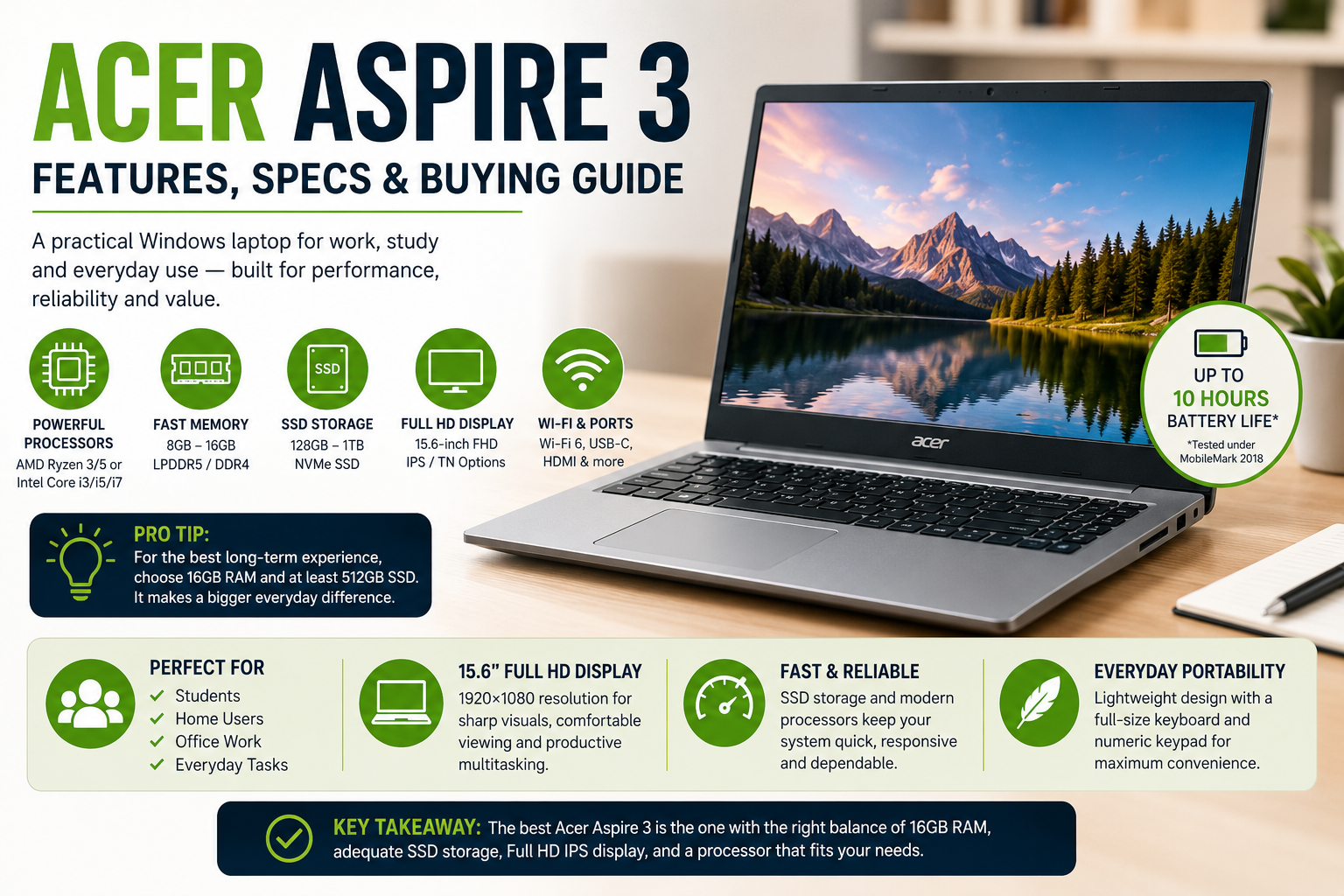
The Acer Aspire 3 is designed for people who need a practical Windows laptop without paying for premium hardware they may never use. Depending on the exact model, it can combine AMD Ryzen or Intel processors with Full HD displays, SSD storage, and enough memory for everyday work, study, browsing, and entertainment. Because the Aspire 3 name covers several configurations, checking the specific model number is essential before buying.
This guide explains what you can expect from the range, which specifications matter most, and who should consider one.
What Is the Acer Aspire 3?
The Acer Aspire 3 is a mainstream laptop family aimed at everyday computing. It is not positioned as a dedicated gaming machine or professional workstation. Instead, its appeal comes from balancing useful hardware with a generally accessible price point.
Current and recent configurations vary considerably. For example, Acer lists an AMD version with a Ryzen 3 7320U, 8GB LPDDR5 memory, a 128GB SSD, and a 15.6-inch Full HD IPS display. Other configurations move up to a Ryzen 5 7520U, 16GB LPDDR5 memory, and as much as 1TB of NVMe storage.
That variation matters. Two laptops carrying the same family name can provide noticeably different experiences.
Key Specifications to Look For
When comparing an Acer Aspire 3, concentrate on the processor, RAM, storage, and display rather than relying on the product name alone.
| Specification | Typical Aspire 3 Options | What It Means |
|---|---|---|
| Processor | AMD Ryzen 3/Ryzen 5 or Intel Core i3/i5/i7 | Determines general processing capability |
| Memory | 8GB–16GB LPDDR5 or DDR4 | Affects multitasking |
| Storage | 128GB–1TB SSD | Controls available space and loading speed |
| Display | 15.6-inch Full HD, 60Hz | Useful for work, study and media |
| Graphics | Integrated AMD Radeon or Intel graphics | Suitable for everyday visual workloads |
Acer’s UK listings also show Intel-based Acer Aspire 3 models with 12th-generation Core processors, including the i5-1235U and i7-1255U. Some versions use IPS panels, while others use TN technology, so display quality should be checked separately for each model.
Performance for Everyday Work
For web browsing, Microsoft Office, email, video calls, streaming, and general schoolwork, the Acer Aspire 3 can be a sensible choice when configured with sufficient RAM and an SSD.
A Ryzen 5 7520U configuration, for instance, has four cores and eight threads, 16GB of LPDDR5 memory, and a PCIe NVMe SSD. That combination is considerably more attractive for multitasking than a low-memory entry-level configuration.
The same principle applies to Intel versions. Acer Aspire 3 Core i3 model can handle basic tasks, while Core i5 and i7 variants offer more headroom for heavier multitasking.
Do not expect integrated graphics to compete with laptops equipped with dedicated gaming GPUs. Light gaming may be possible depending on the title and settings, but demanding modern games are not the primary purpose of this range.
💡 Pro Tip: If you plan to keep your Acer Aspire 3 for several years, prioritize 16GB RAM and at least 512GB SSD storage when your budget allows. Those upgrades can make a bigger day-to-day difference than paying extra for a processor you rarely stress.
Display and Design
Many 15.6-inch Acer Aspire 3 models use a 1920×1080 Full HD resolution, which provides a comfortable workspace for documents, browser tabs, spreadsheets, and video. Some configurations feature IPS technology and Acer’s ComfyView matte treatment, while others use TN panels.
The distinction is worth checking before purchase. IPS generally provides better viewing angles, making it more convenient when the screen is not directly in front of you.
A 15.6-inch chassis also gives users a full-size layout on many configurations, including a numeric keypad. For students, home users, and office workers who regularly enter numbers, that can be more useful than an ultra-thin design.
Storage, Ports and Connectivity
SSD storage is one of the strongest practical features to look for. Compared with older mechanical hard drives, an NVMe SSD can make Windows startup, application launches, and file access feel substantially quicker.
Some Aspire 3 configurations offer 512GB or 1TB NVMe storage, while entry-level versions may have only 128GB.
Port selection also varies by model. A representative AMD configuration includes two USB Type-A ports, one USB Type-C port, HDMI, and wireless connectivity. Acer also lists Wi-Fi 6-class wireless networking on certain models.
Before ordering, check the exact specification sheet if you need Ethernet, a particular USB standard, or a memory-card reader.
Battery Life and Portability
Battery performance depends on the processor, display, workload, and specific battery configuration. Acer lists up to 13 hours as a maximum figure for some Aspire 3 models, while its detailed testing information for a Ryzen 5 configuration states up to 10 hours under MobileMark 2018 conditions.
These figures should not be treated as a guaranteed runtime for every user. Heavy browser use, video calls, high brightness, and demanding applications can reduce endurance.
Weight is also model-dependent. One Aspire 3 15 configuration listed by Acer weighs approximately 3.92 pounds, which is reasonable for a 15.6-inch everyday laptop.
📌 Key Takeaway: The best Acer Aspire 3 is not necessarily the model with the fastest processor. Look for the right combination of 16GB memory, adequate SSD capacity, a Full HD IPS display, and a processor appropriate for your workload.
Who Should Buy One?
An Acer Aspire 3 makes the most sense for:
- Students who need a Windows laptop for research, assignments, and online classes.
- Home users who primarily browse, stream, shop, and manage documents.
- Office workers using productivity software and cloud applications.
- Buyers who prefer a larger 15.6-inch display and numeric keypad.
- Families looking for a straightforward general-purpose computer.
It is less suitable for professional video production, advanced 3D work, demanding gaming, or workloads that require a dedicated graphics card.
How to Choose the Right Configuration
Start with your workload rather than the model name. For basic browsing and documents, a modern Core i3 or Ryzen 3 configuration with 8GB RAM can be adequate. If you frequently keep many applications and browser tabs open, 16GB is a better target.
Storage is another easy decision. A 128GB drive can become restrictive after Windows, applications, and personal files are installed. A 512GB SSD provides substantially more breathing room.
Display technology deserves attention too. If you regularly work with the screen from different positions, an IPS configuration is generally preferable to a TN panel.
Frequently Asked Questions
Is the Acer Aspire 3 good for students?
Yes. It can be a strong student laptop when configured with a modern processor, 8GB or preferably 16GB of RAM, and an SSD. It is well suited to research, writing assignments, presentations, video calls, and streaming. The 15.6-inch screen can also provide comfortable space for documents and multitasking.
Can it handle gaming?
Some models can run lightweight or older games using integrated graphics, but gaming performance varies by processor and title. The Aspire 3 should not be confused with a dedicated gaming laptop. Anyone planning to play demanding AAA games should consider a system with a dedicated graphics processor.
Does it have a Full HD display?
Many 15.6-inch configurations do. Acer lists multiple Aspire 3 models with 1920×1080 resolution, although panel technology varies between configurations. Check the exact model before purchasing, particularly if IPS viewing angles are important to you.
How much RAM should I get?
For basic browsing and office work, 8GB can be sufficient. For heavier multitasking and longer-term use, 16GB is the more comfortable choice. Some newer AMD configurations provide 16GB LPDDR5 memory, while other models have different memory arrangements.
Is it good for working from home?
It can be. A suitable configuration provides enough performance for browsers, office applications, video meetings, email, and cloud-based tools. For demanding professional software, however, you should select a higher-performance laptop designed around that workload.
Final Verdict
The Acer Aspire 3 succeeds by focusing on the tasks most laptop owners actually perform: browsing, productivity, communication, study, and entertainment. Its biggest strength is configuration flexibility, but that is also the reason buyers need to read the specification sheet carefully.
Choose an Acer Aspire 3 with enough RAM, sensible SSD capacity, and an IPS Full HD screen if available within your budget. For everyday computing, that combination offers a practical balance without paying for hardware you may not need.
